
1. Remove ShiftUp Lightning components from your custom object record pages
If you’ve added any of the ShiftUp Lightning Components to new or existing object record pages, you must first remove these components and save your record pages.
2. Disable Package Flows and Remove Package Permission Set Assignments
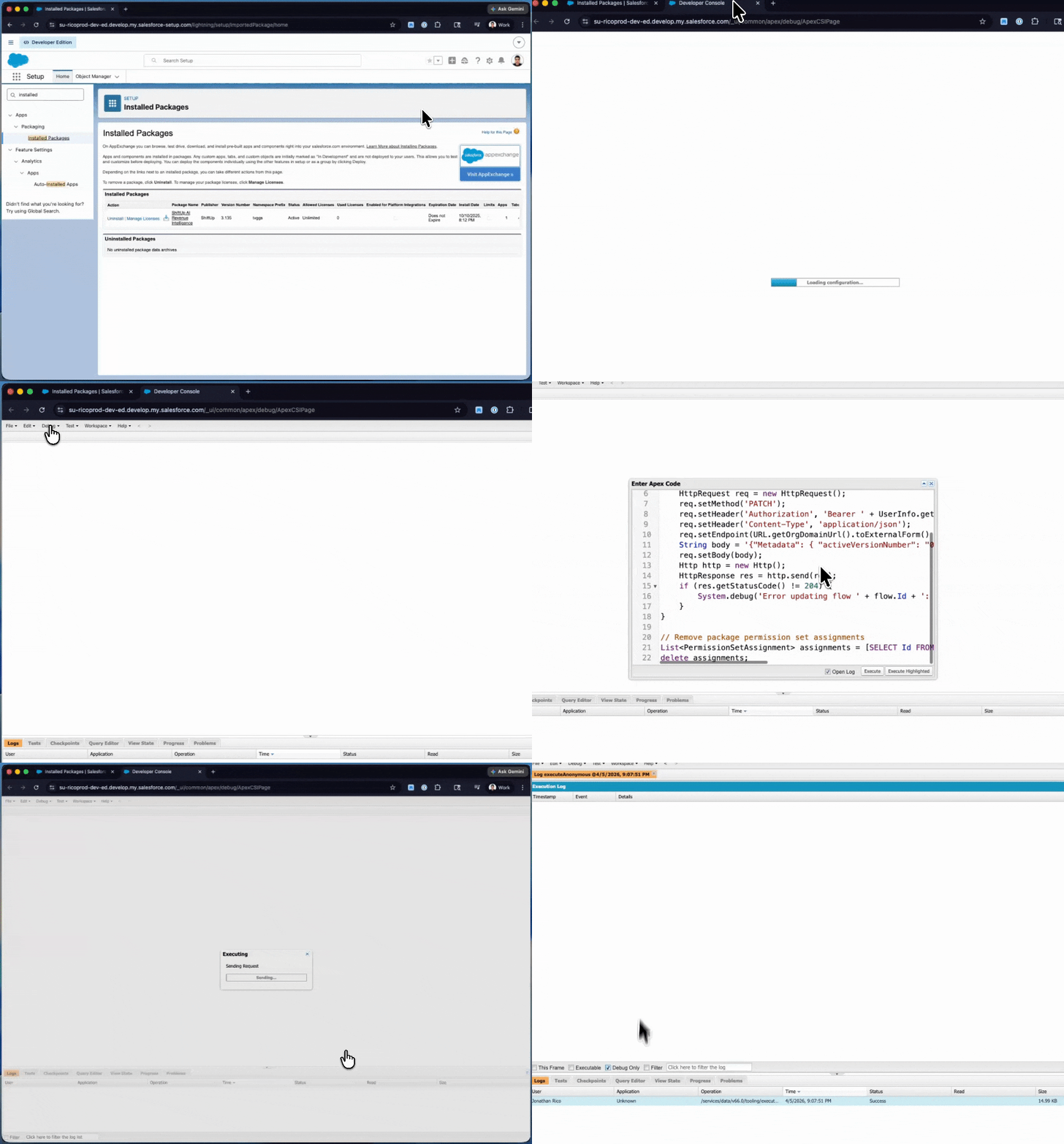
Active flows provided as part of the package must be disabled and permission set assignments for permission sets created by the package must be removed. To simplify this process, you can run the script below in your Salesforce Org’s Developer Console to do this programmatically and save time.IMPORTANT: This script runs by default in dryRun mode, to execute it with write permission change the line
Boolean dryRun = false; to Boolean dryRun = true;Additionally, you will need to run this at least 2 times as we need to delete more than 30 reports and we can only delete 20 per run.Finally, after running this script, you will need to go to the Recycle bin and empty your recycle bin.Current package versions no longer include the legacy Salesforce ShiftUp Dashboard or ShiftUp Adoption Dashboard, but upgrading does not delete them from orgs that already have them. If either dashboard is still in your org, edit it, manually remove all of its components, and save it before running the script.
3. Uninstall the package
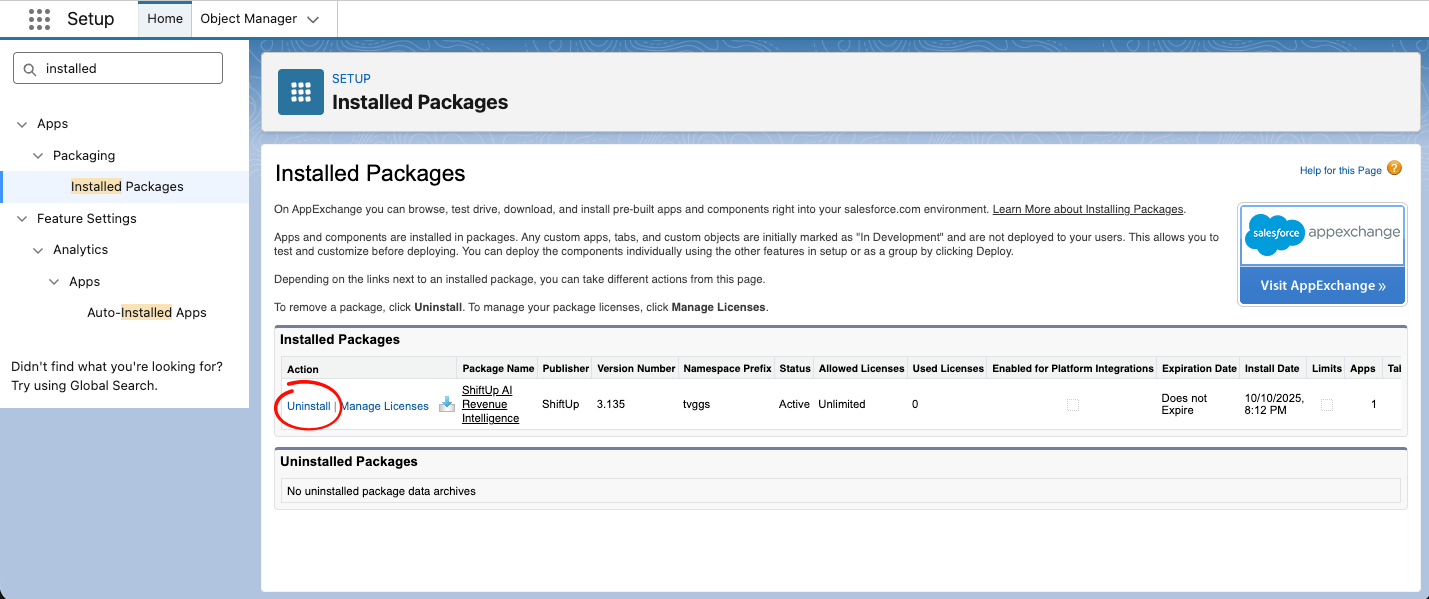
Go toSetup > Apps > Packaging > Installed Packages and click the Uninstall link next to the ShiftUp AI Revenue Intelligence package.
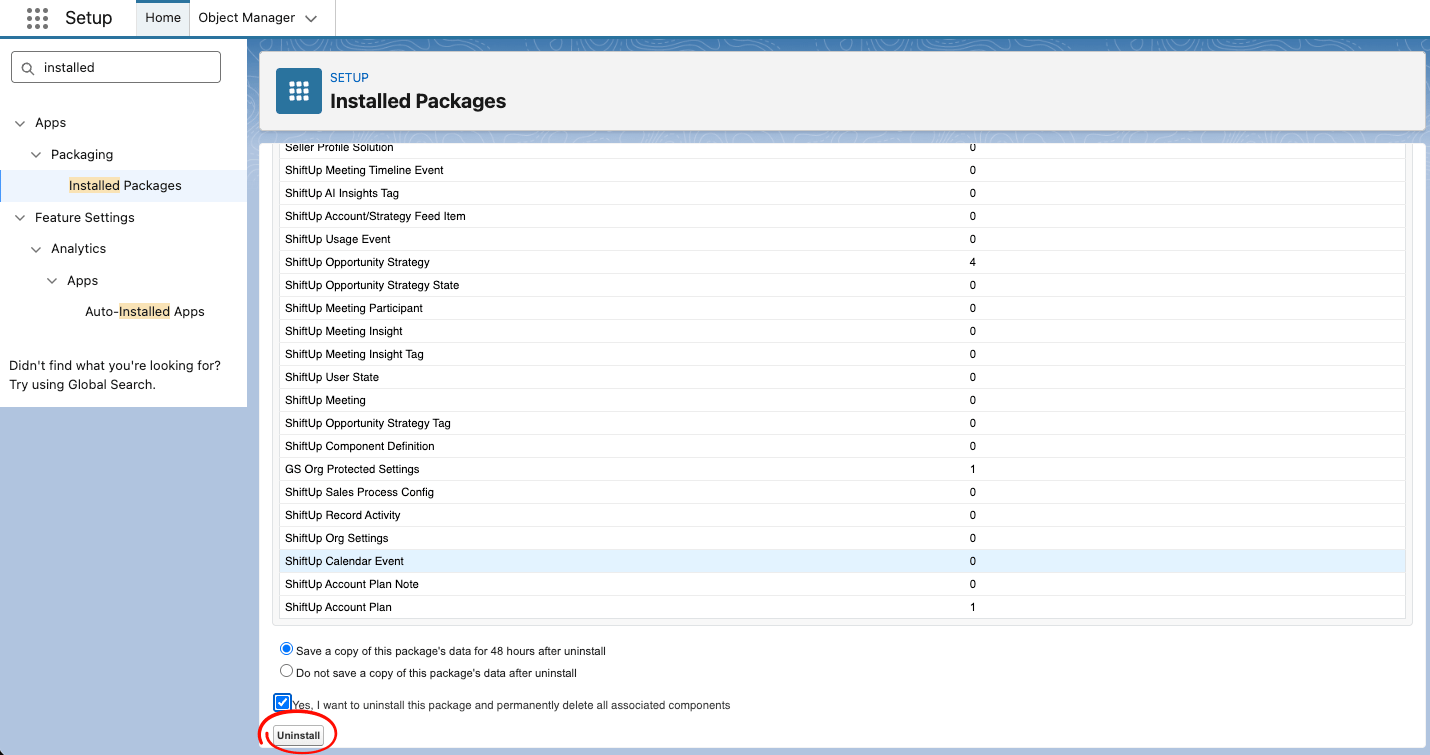
Errors may occur during package uninstall if there are other dependencies to ShiftUp components from additional configurations in your Salesforce org. The error page will indicate the dependencies, clear out this dependencies and retry the uninstall process.
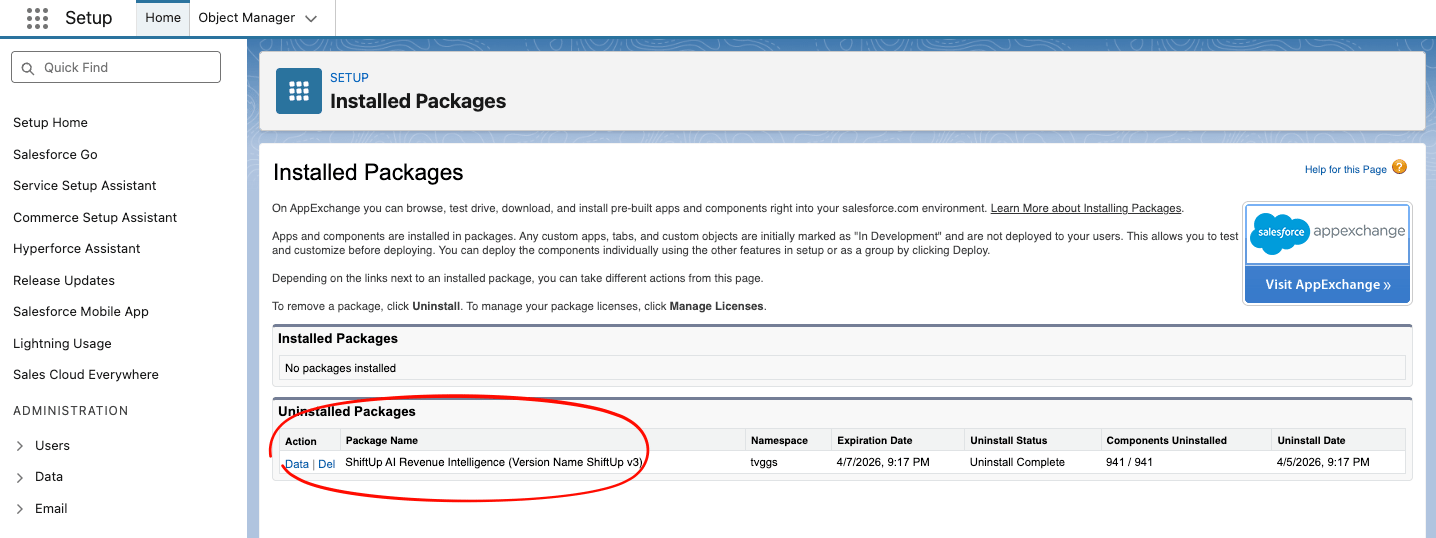
Uninstalled Packages section