

Set Up button in the Seller Profile Setup section to go to the Seller Profile tab in ShiftUp app.
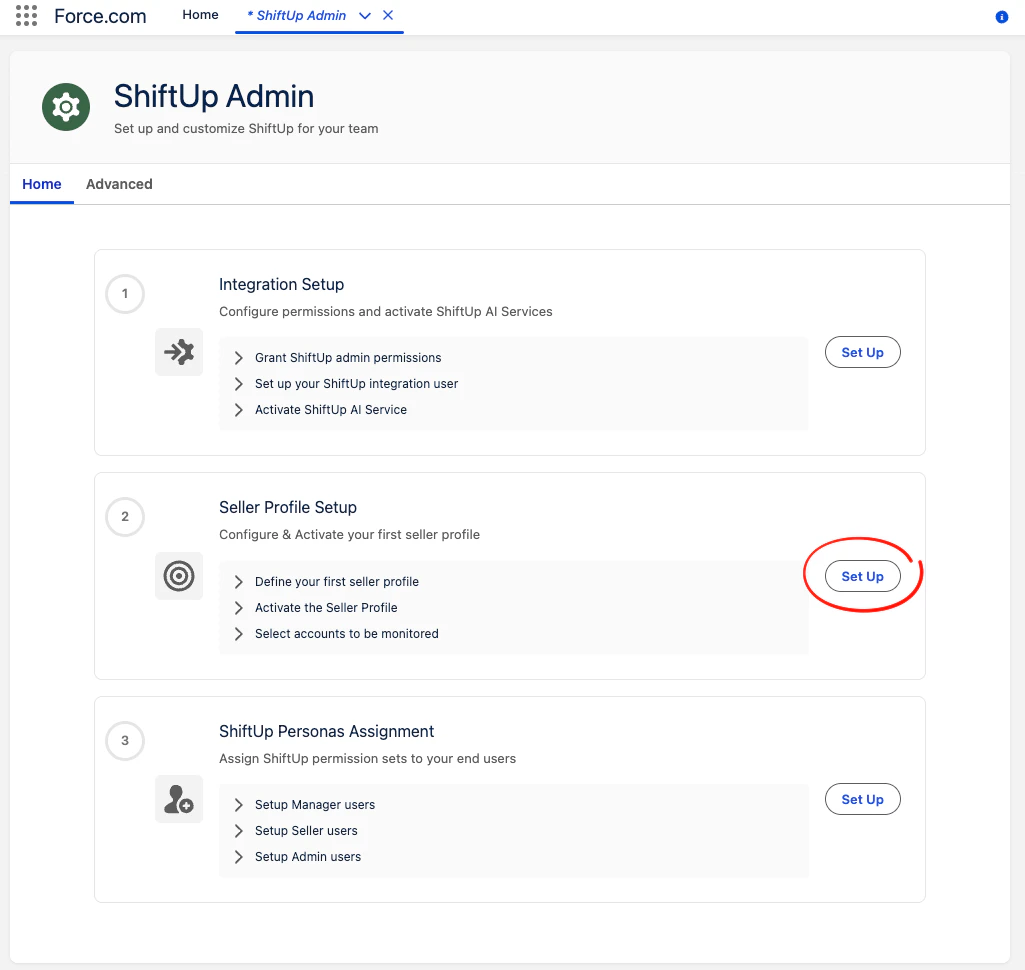
App Launcher and searching for ShiftUp here:
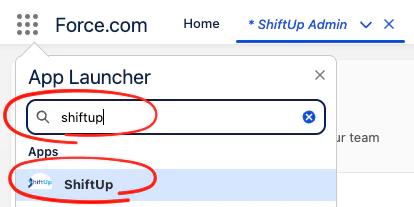
Create a Seller Profile
Click theCreate New Profile button in the Seller Profiles tab of the ShiftUp app
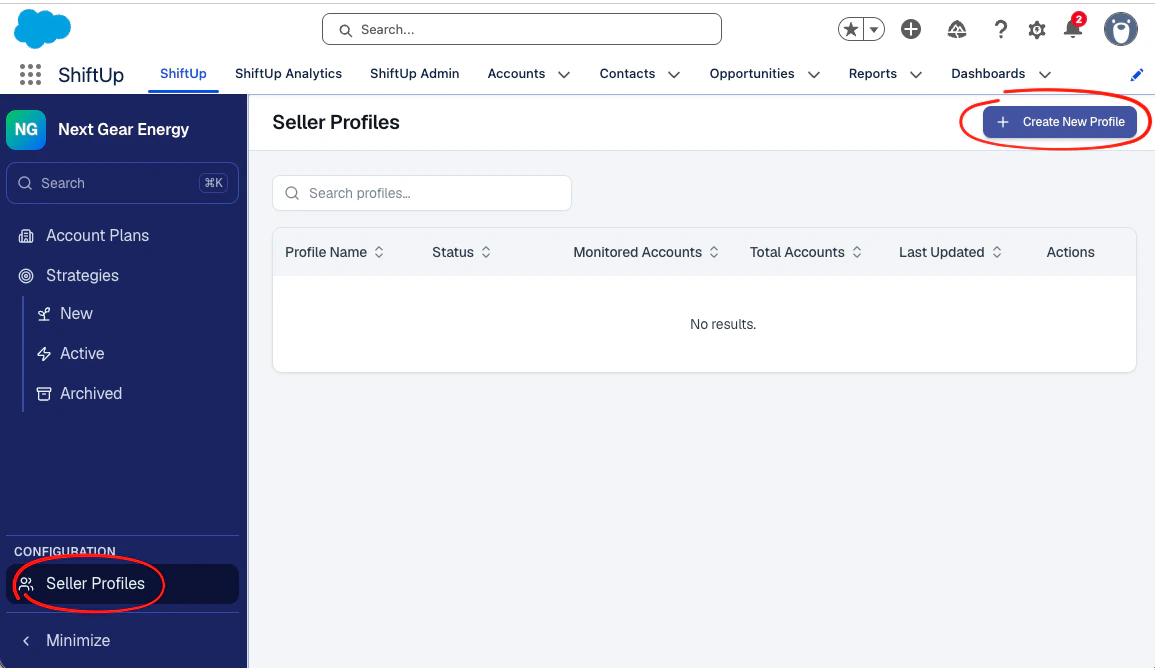
Basic Information section for your company. ShiftUp will research your company’s website, but we still require some context around your Company Profile and Ideal Customer Profile. You can fill these out manually but we recommend ShiftUp generate this for you by using the Generate with ShiftUp Intelligence button.
Files card by clicking Add File. Price books, decks, case studies, and other material about your company help ShiftUp generate a more accurate profile, and ShiftUp agents can use them later. You can add up to 50 files on this form. Supported types are PDF, Word, PowerPoint, text, Markdown, CSV, Excel, JPG, and PNG, up to 100 MB each. You can add more files later from the profile’s Files tab. See Files for details.
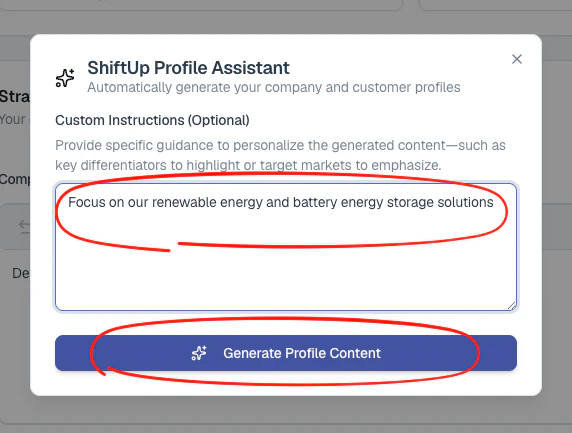
You can provide some custom instructions if you would like ShiftUp to focus on particular solutions and/or type of customers for your Seller Profile. Click Generate Profile Content when ready.
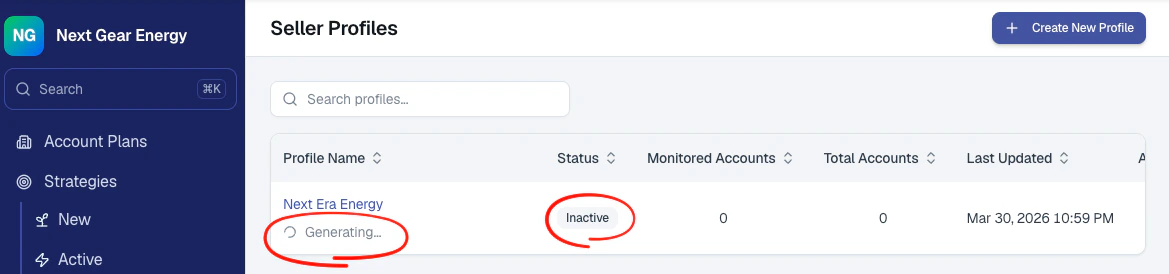
Inactive in the meantime.
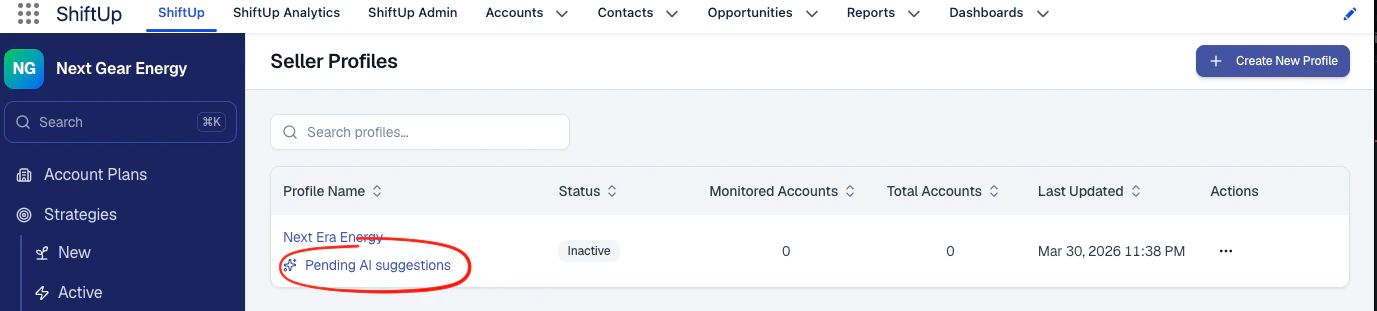
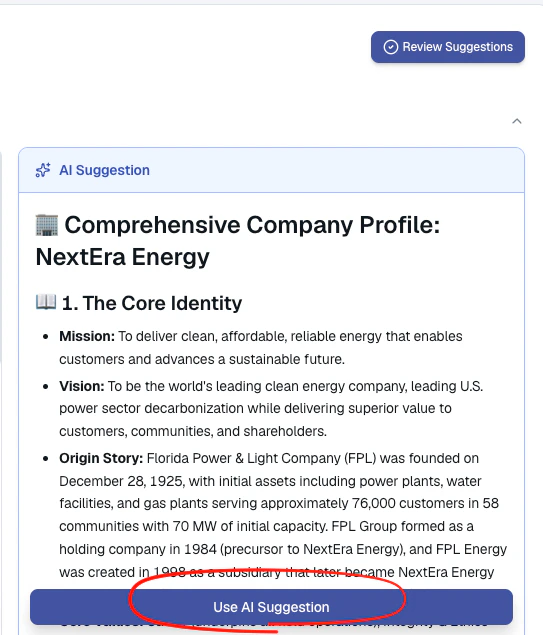
Accept button to apply it, do this for both the Company Profile and Ideal Customer Profile fields. You can edit the suggestions at any option once you’ve applied them to the seller profile.
Activate the Seller Profile
After accepting the suggestions, activate the seller profile and save changes.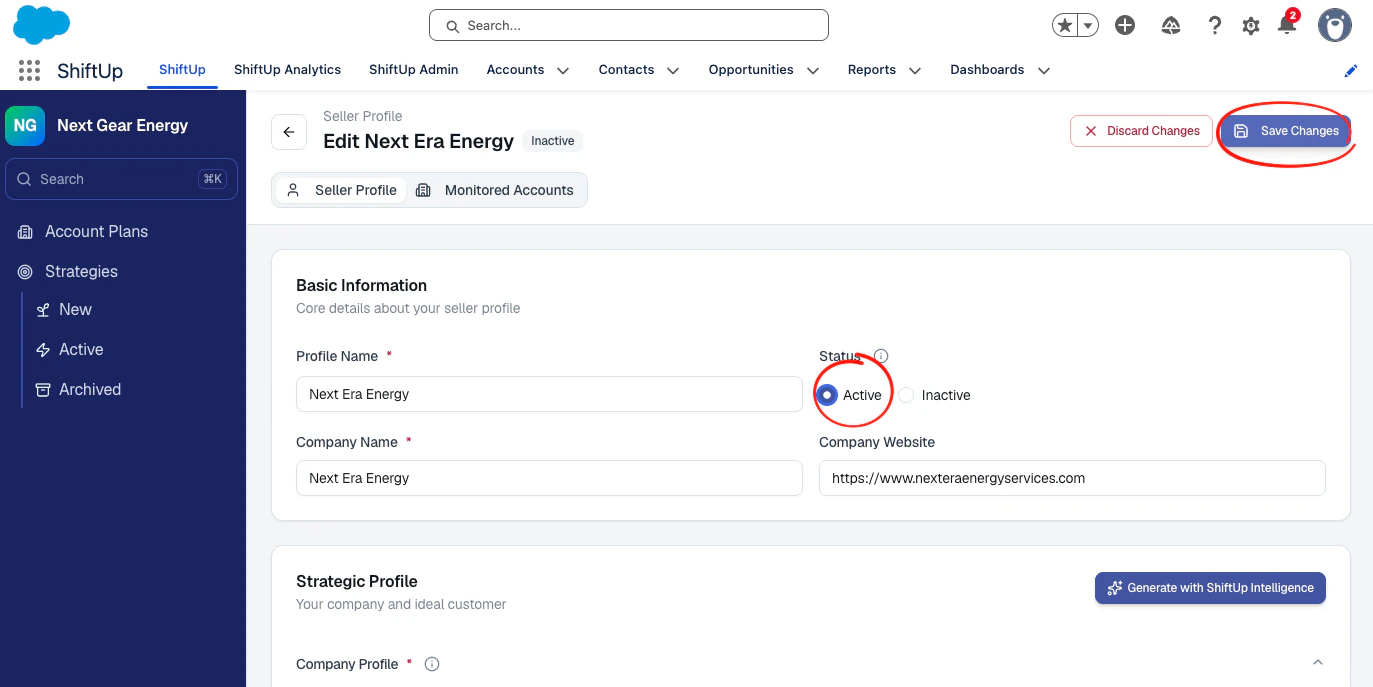
Add accounts to the Seller Profile
The final step is to add accounts to your Seller Profile, this will signal ShiftUp to begin collecting intelligence and generate Account Plans and Opportunity Strategies for the selected accounts. To add accounts, go to your Seller Profile, clickMonitored Accounts and then click the Manage Accounts button.

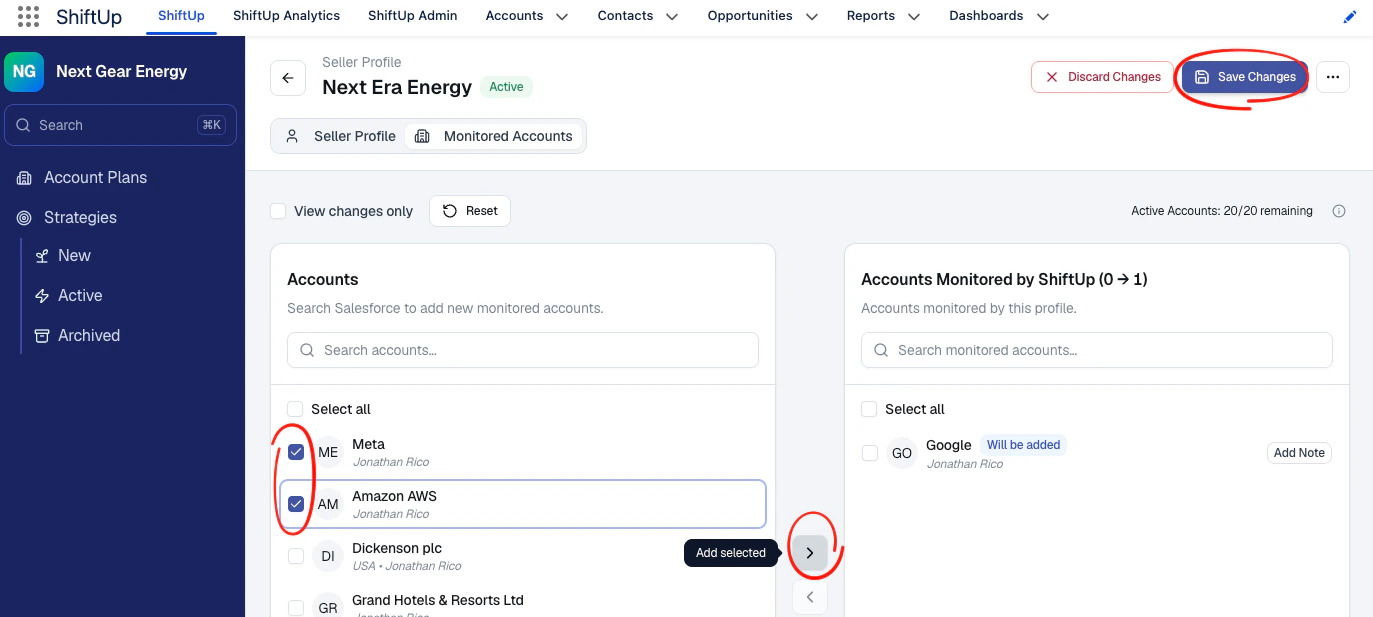
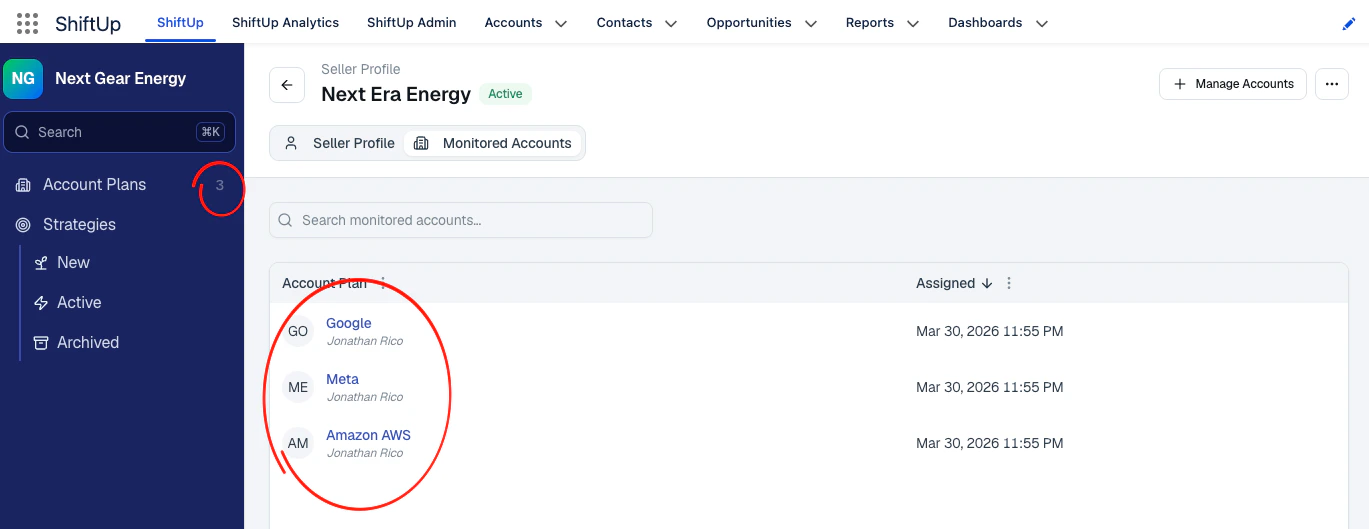
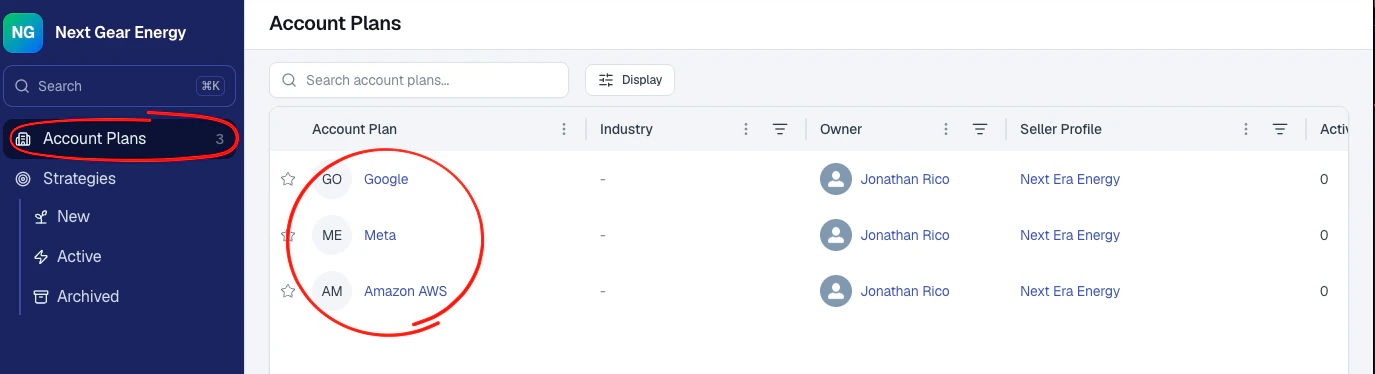
Monitored Accounts of the seller profile and the Account Plans tab will display the new records.
Rollout Tips
- Start with a pilot group.
- Validate generated outputs and ownership behavior.
- Expand profile account coverage in phases.