
ShiftUp Personas
The following personas are supported in the ShiftUp application:- Admin: full management access to ShiftUp data
- Manager: seller capabilities plus seller profile management and strategy assignments.
- Seller: works account plans and opportunity strategies, can also add accounts to seller profiles.
- Restricted Seller: works account plans and opportunity strategies.
- Read Only: read-only access to account plans and strategies; cannot create, edit, share, refresh, or create tasks. Stacks with the Pipeline Agent Viewer permission set the same way other personas can.
- Read Only View All: same as Read Only, plus View All Records on the objects Read Only can access.
- Pipeline Agent Manager: opt-in permission set for configuring and managing Pipeline agents. Stacks with an existing persona.
- Pipeline Agent Viewer: opt-in permission set for viewing pipeline agents and their candidates without configuration rights. Stacks with an existing persona.
Assigning ShiftUp Permission Sets
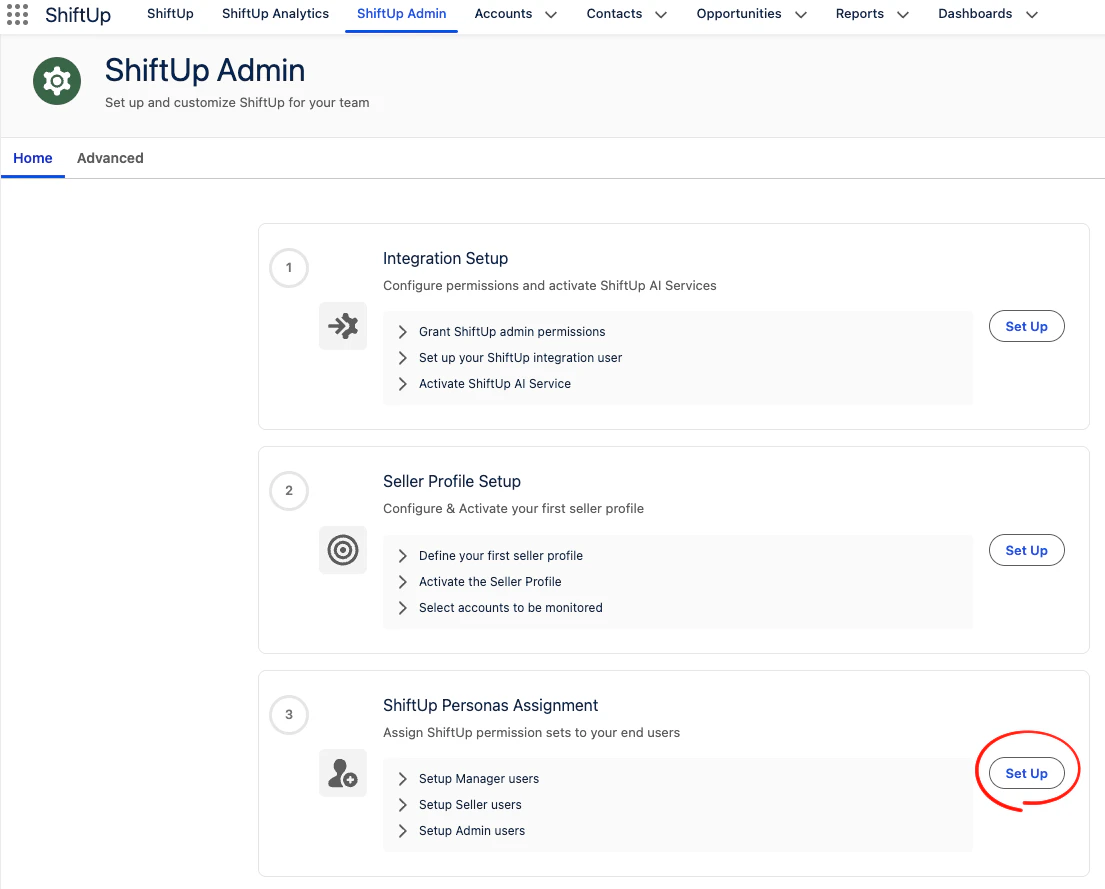
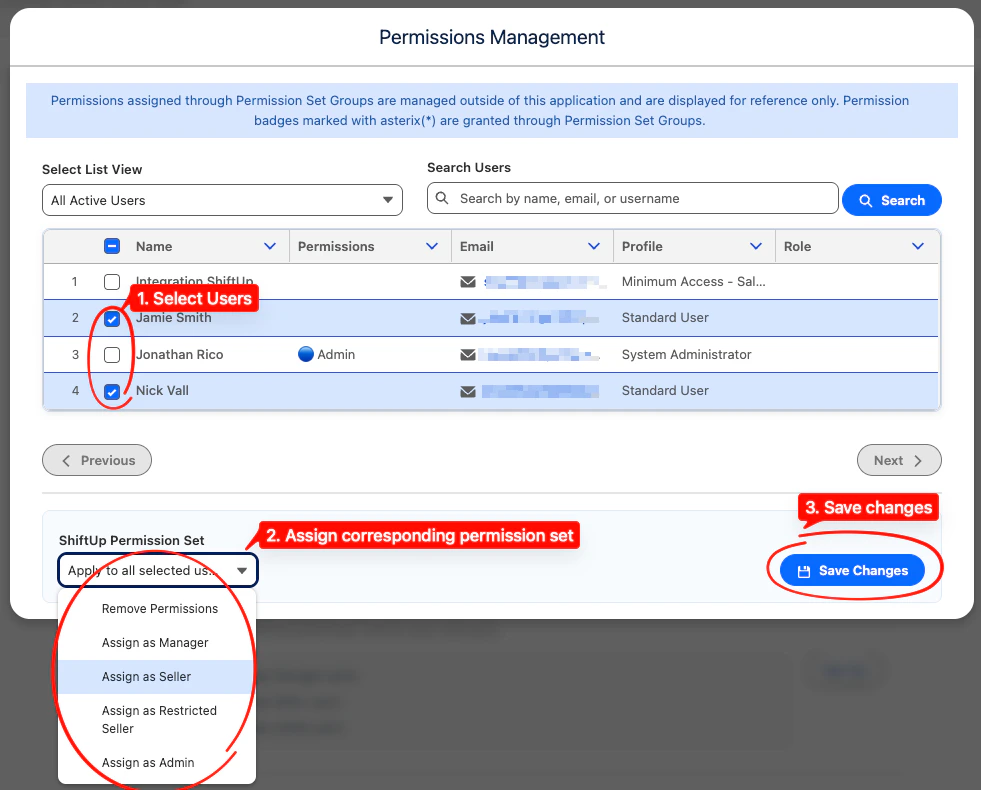
To assign a ShiftUp permission set, go to theShiftUp Admin tab, then click the Set Up button in the ShiftUp Personas Assignment section.
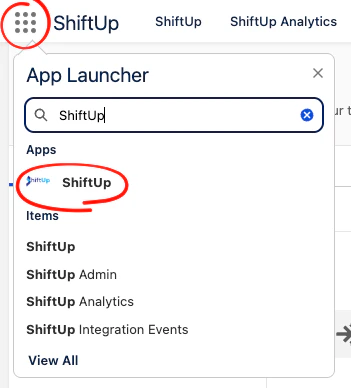
ShiftUp application in their App Launcher.