
1
Navigate to App Settings
Go to
ShiftUp Admin > Advanced > App Settings2
Enable CRM Context
Enable the toggle under
CRM Context for Seller Profiles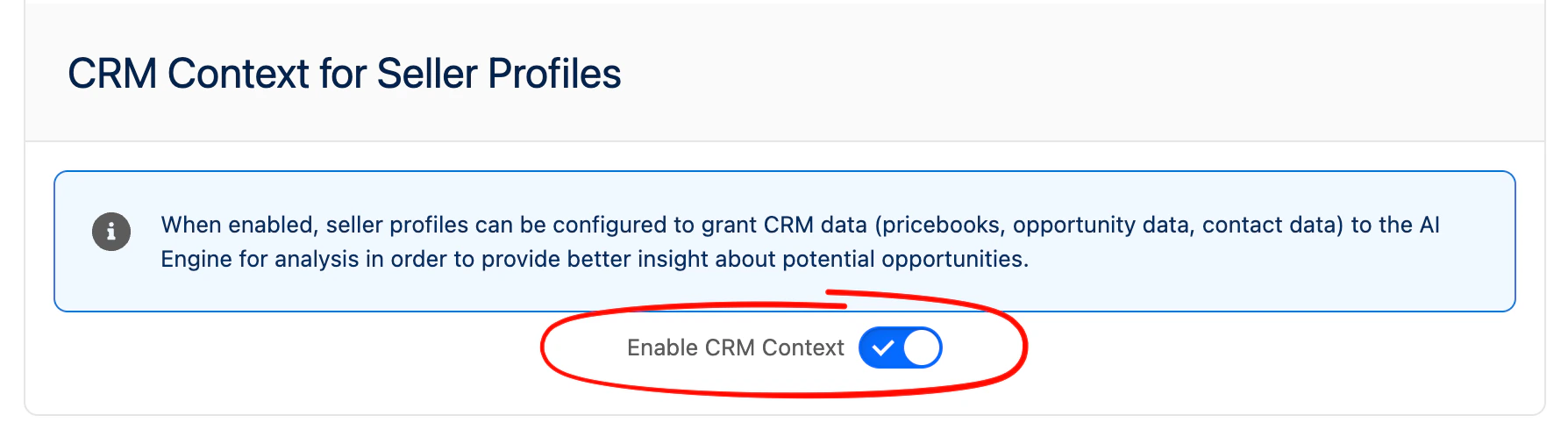
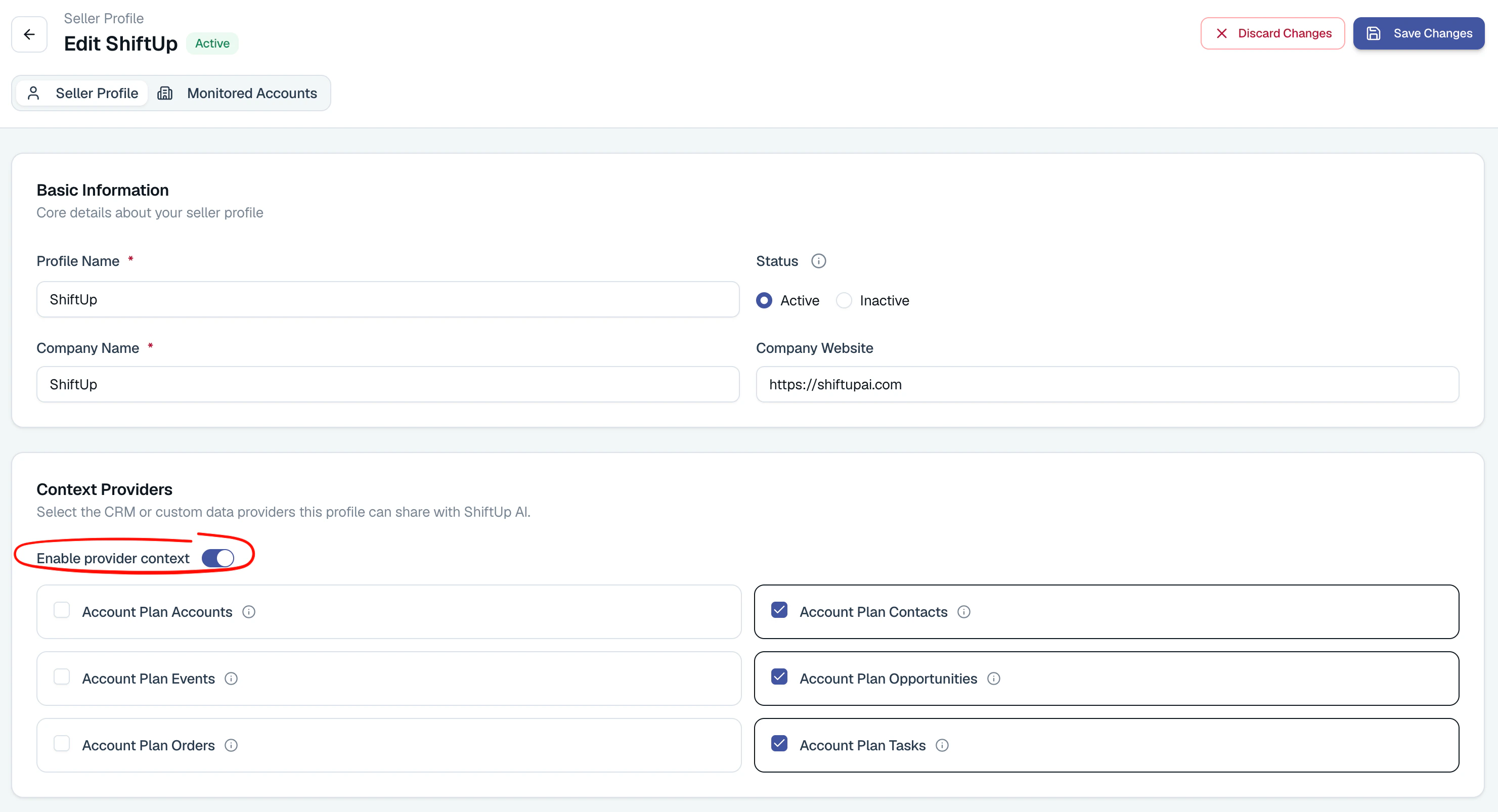
Edit to one or more context providers you would like to enable.
To learn more about the data each provider shares with ShiftUp, hover over the info action for each provider.
Account Emails
The Account Emails provider shares SalesforceEmailMessage records with ShiftUp. Use it when email conversations with a customer hold context that your Tasks and Events don’t capture, such as subject lines, participants, and message content.
Account Emails is opt-in. It stays disabled until you select it in the Seller Profile’s CRM Context Providers settings, including on existing Seller Profiles.
When enabled, the provider:
- Includes emails related to the plan account, its opportunities, or its contacts, within the permitted account hierarchy. Each email appears once per account plan.
- Shares email metadata, such as subject, from, to, and cc addresses, direction, status, and message date, along with the email body.
- Returns up to 200 distinct emails per request, newest Salesforce creation date first. All requested accounts and their enabled hierarchies share this limit. There is no age cutoff.
- Includes up to 3,000 characters of plain text per email. When an email has no plain-text body, ShiftUp converts the HTML body to text.
While Account Emails is enabled, ShiftUp excludes all email Tasks from the Account Tasks provider so the same email isn’t shared twice. Turn off Account Emails to restore email Tasks in Account Tasks.
EmailMessage object and the fields you want to share. The provider respects the integration user’s record and field access. See Context Provider Permissions.
Account Opportunities
The Account Opportunities provider shares SalesforceOpportunity records with ShiftUp. Use its advanced options when you want ShiftUp to focus on a specific set of deals, such as open opportunities or opportunities above a certain amount, instead of the most recently created ones.
To configure the provider, click Edit in the Seller Profile’s CRM Context Providers section, select Account Opportunities, and open Advanced options. You can set:
ShiftUp applies your filters and sorting first, then selects up to the record limit across the whole request. Each selected opportunity stays associated with every requested account whose permitted hierarchy contains it. When no opportunities match the filters, the provider returns no opportunity context.
For example, to share up to 100 open opportunities with the largest amounts first, set Record limit to
100, Sort field to Amount, Sort direction to Descending, and add a filter where Closed Equals false.
Opportunity filters use the same filter editor and save and clear behavior as the Tasks and Events providers:
- Removing every filter keeps your record limit and sorting.
- Deselecting Account Opportunities clears its filters, record limit, and sorting.
- Turning off Enable provider context clears the options for all providers.
Context Provider Permissions
Context providers are executed with the permissions of the configured Integration User for ShiftUp. So ShiftUp can only read fields for objects, fields, and records that the integration user has read access to. To enable additional access to objects and fields, go to the permission set assigned to the integration user where standard permissions have been granted and extend permissions as needed. We strongly recommend avoiding giving access to all fields; only select the fields that will contribute meaningful context.Field filters
The Tasks, Events, Account Opportunities, and Other Custom Objects providers can narrow the records they return with up to three field filters. On the Seller Profile, clickEdit on a provider, open Advanced options, then use the filter rows to pick a field, an operator, and a value where needed.
The operator dropdown only lists the operators supported by the selected field. Changing the field to one that does not support the current operator resets the operator to Equals.
Every filter needs a field. Equals, Contains, and Does not contain also need a nonblank value. ShiftUp checks Task, Event, and Opportunity filters before saving a Seller Profile, including saves that start AI generation. Incomplete filters block the save and show an inline error so you can fix them.
Contains and Does not contain perform case-insensitive substring matches. Does not contain also matches records whose field is empty, so blank values are treated as “does not contain” the search text.
Context Provider Field Constraints
The following fields are ignored by context providers:- Encrypted fields
- Lookup fields to custom objects
- Long Text Area fields
- Data Category Group Reference fields
- Deprecated/hidden fields
- Custom fields whose namespace prefix has been excluded from the
GS_App_Setting.Excluded_Context_Namespacescustom metadata type.
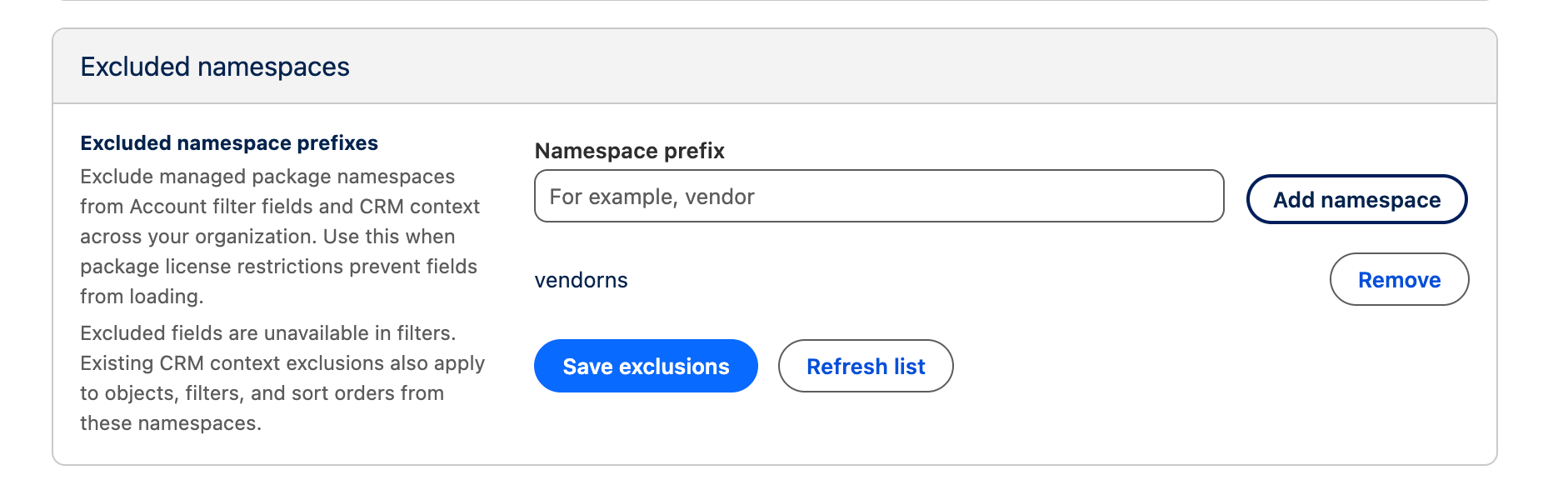
(Optional) Fields related to licensed Managed Packages
ShiftUp has checks to prevent querying for fields that belong to managed package that require a user license if the integration or running user doesn’t have a license assigned to this package. If you run into an issue caused by fields from a particular namespace, you can manually exclude a namespace via ShiftUp Admin > App Settings > Excluded namespaces.