

Steps to Grant Access
- Log in to your Salesforce org.
- Click your profile avatar in the top-right corner and select Settings.
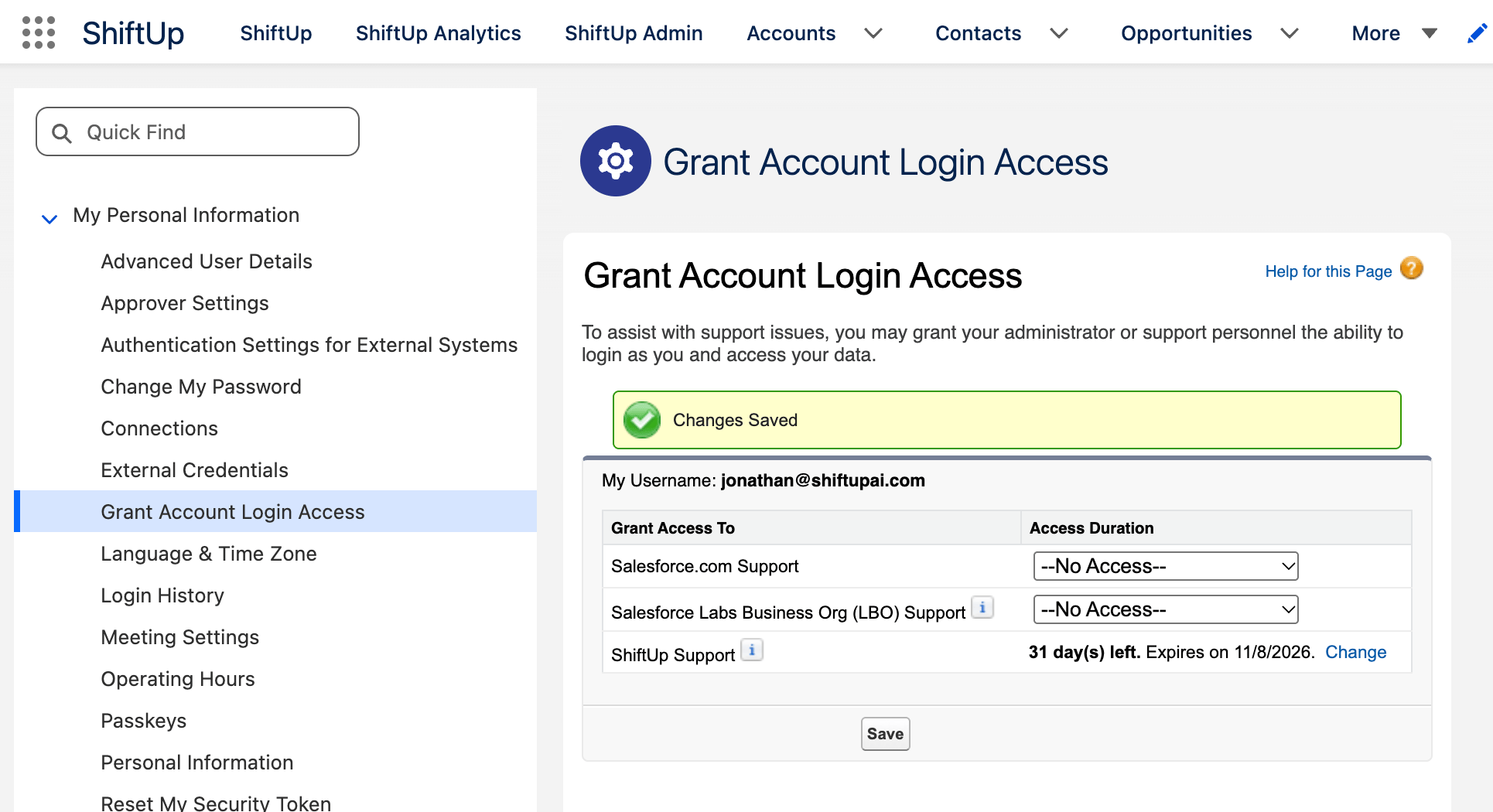
- In the Quick Find box, search for Grant Account Login Access and select it.
- Locate ShiftUp Support in the list.
- Under Access Duration, select how long you want to grant access, from 1 day to 1 month.
- Click Save to apply your changes.
Additional Information
- Temporary access: Login access automatically expires at the end of the selected duration.
- Revoking access: You can revoke access at any time by returning to Grant Account Login Access and setting the access duration to No Access.
- Support purposes only: ShiftUp Support uses this access solely to investigate, troubleshoot, and resolve support-related issues.