

This setup is only required for existing customers upgrading to a package version that includes Chat. New customers receive these trusted URLs automatically during installation.
Trusted URLs to add
Steps
- In Salesforce, go to Setup and search for Trusted URLs in the Quick Find box.
- Click Trusted URLs under Security.
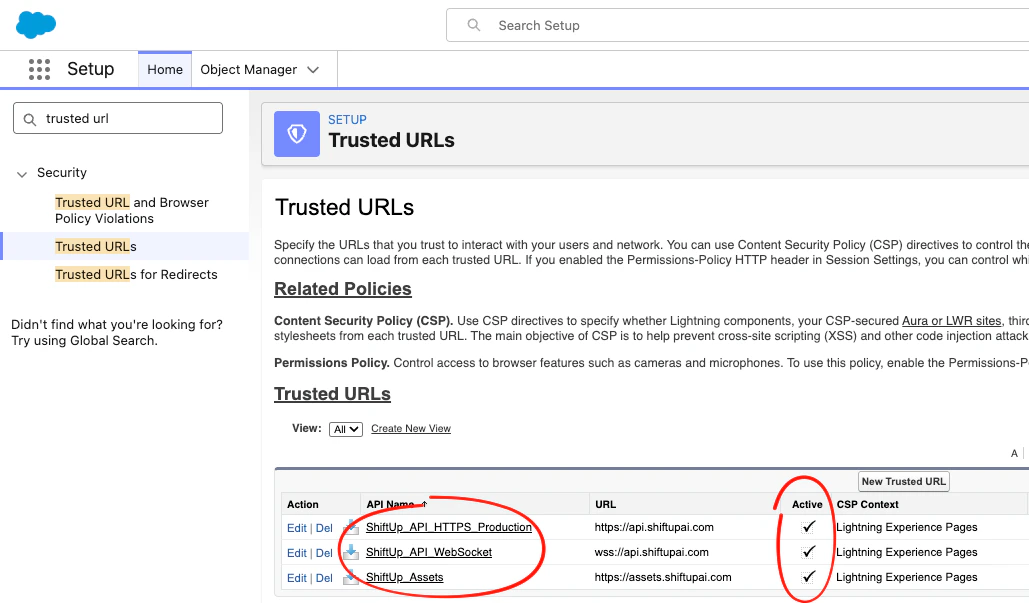
- Click New Trusted URL and enter the details for each URL listed above:
- API Name — use the name from the table
- URL — use the URL from the table
- Active — check the box
- CSP Context — select Lightning Experience Pages
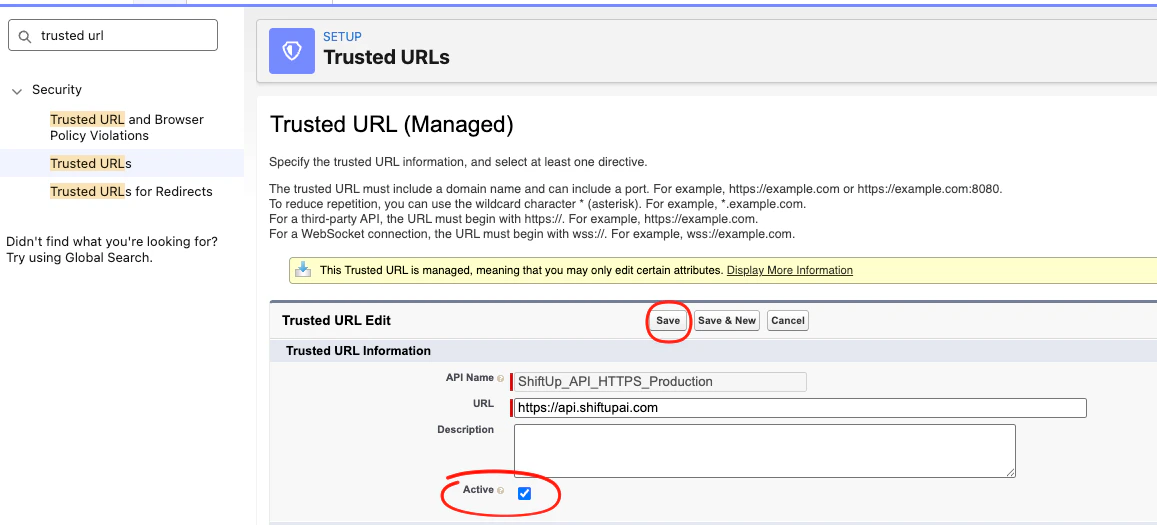
- Click Save (or Save & New to add the next entry).
- Repeat for all three URLs.
Who can use Chat
When Chat is enabled for your organization, users with any ShiftUp persona can open it, including Read Only and Read Only View All users. What each user can do in Chat depends on their persona and Salesforce object permissions:
Read Only users can still review and cancel a change that Chat proposes, but they cannot approve it. Salesforce sharing and permissions continue to control which records each user can see and change. See ShiftUp user setup to assign personas.