

Filtering by user
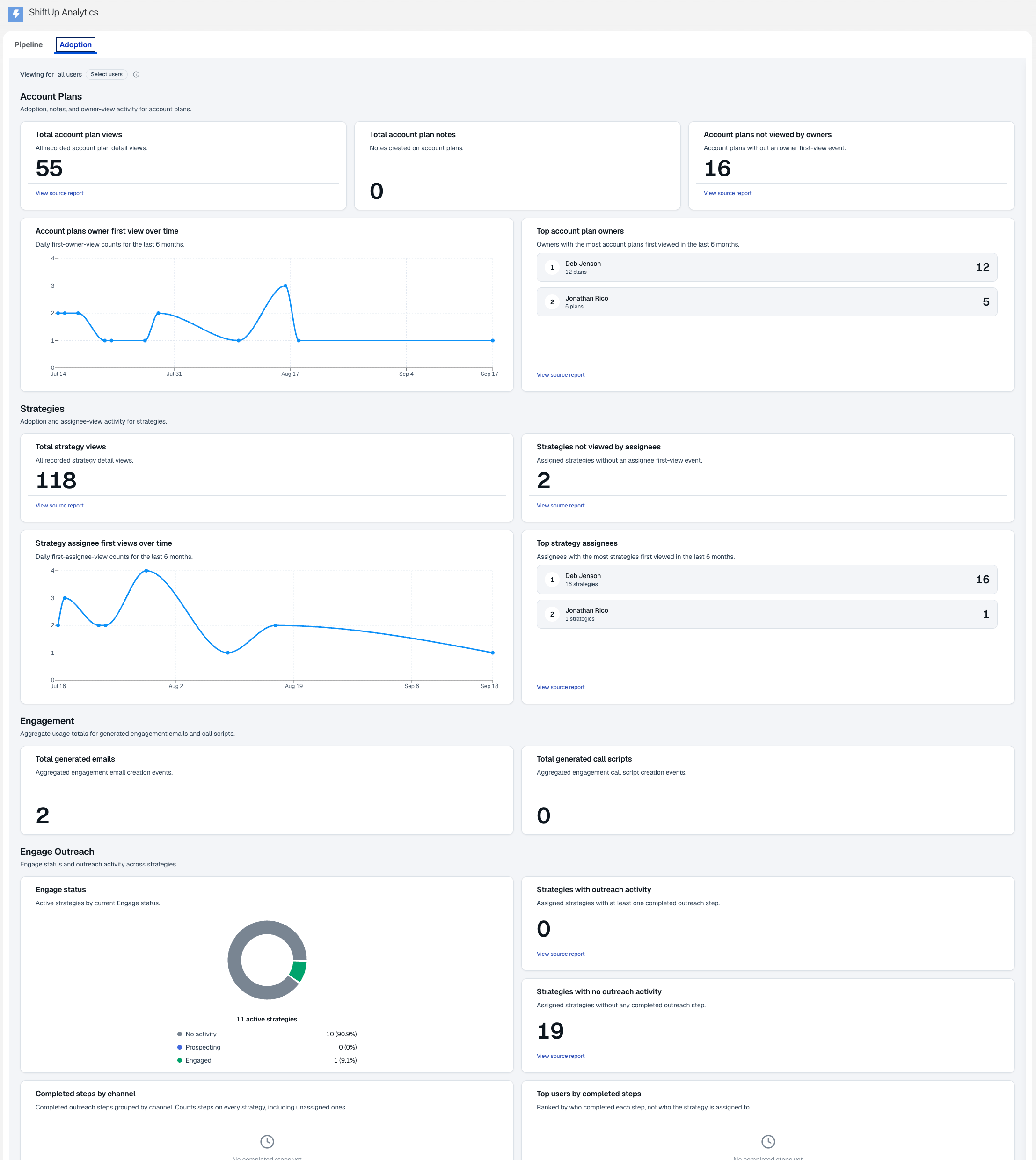
The Viewing for filter at the top of the dashboard scopes the widgets below it to the users you select. Widgets that always report organization-wide totals show an Org-wide badge while a user filter is active, so you can tell which numbers the filter does not affect. The Engage Outreach widgets scope on two different user axes. Strategy counts are scoped to strategies assigned to the selected users, while step aggregates are scoped to steps completed by the selected users. Each widget’s description states which axis applies.Source reports
Many widgets include a View source report link in the footer that opens the packaged Salesforce report behind the widget in theShiftUp Reports folder. For the Engage Outreach widgets, the links appear only for users who have both the ShiftUp Admin permission set and the Salesforce Modify All Data permission. See Engage Outreach source reports for details.
Sections
Timeline widgets chart daily counts for the last 6 months.Account Plans
Strategies
Engagement
Engage Outreach
This section shows the Engage status of active strategies and tracks completed ShiftUp Engage outreach cadence steps across strategies. The Engage status widget always appears in this section. It groups active strategies by their current Engage status and shows the count and percentage for each status:
When a user filter is active, the widget counts only strategies assigned to the selected users.
The remaining widgets appear only when Engage prospecting is enabled for your org.
These widgets count Engage steps completed after your org upgraded to the release that introduced them. To include earlier Engage activity, run the Strategy Step Progress repair task under ShiftUp Admin → Advanced → Repair Tasks.
Notetaker
Stakeholders
The two timeline widgets include a View source report link in their footer, following the same rules as other source reports. The link renders even when the timeline is empty, and stays hidden when the packaged report cannot be resolved.
Favorites
Onboarding Progress
If the Onboarding Progress widgets show no data, open ShiftUp Admin → Advanced → Repair Tasks and click Refresh Onboarding Progress to populate them.