

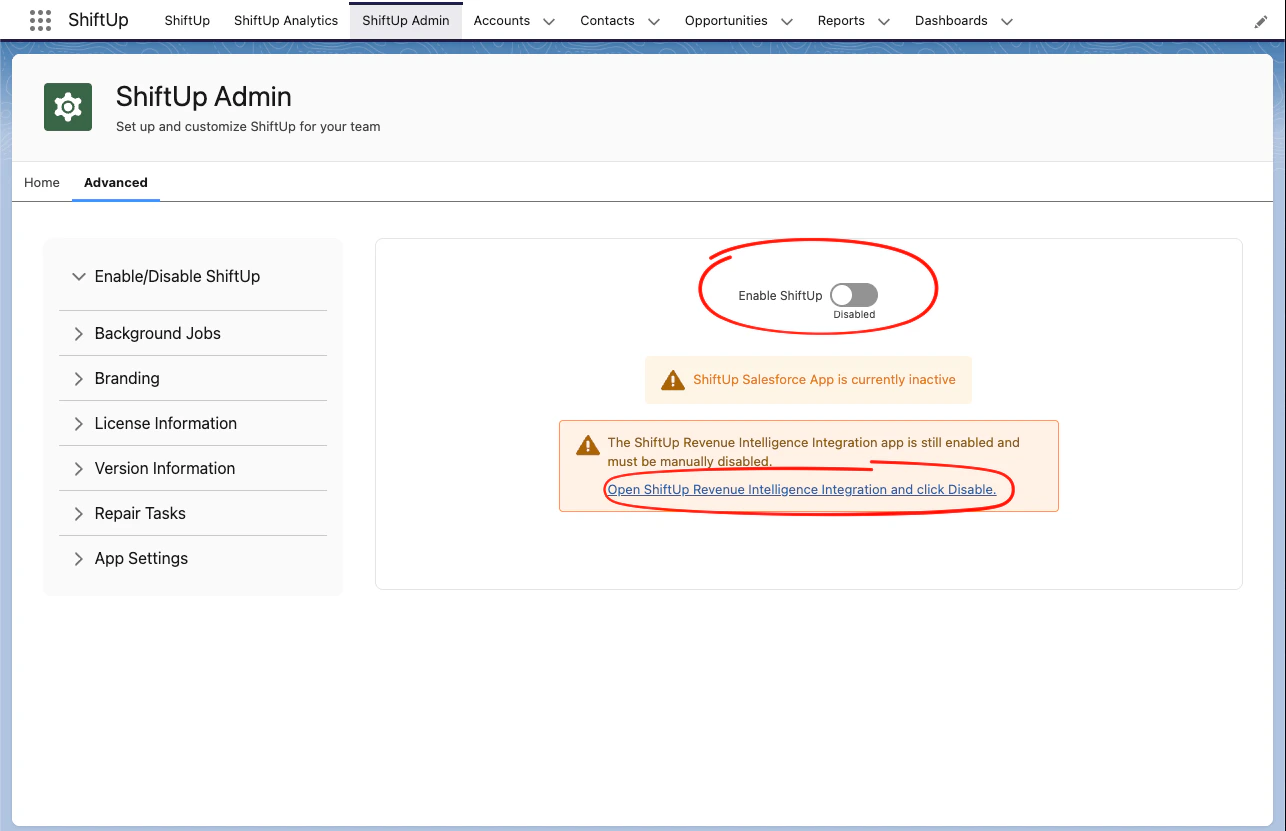
ShiftUp Admin > Advanced > Enable/Disable ShiftUp and disable the Enable ShiftUp toggle.
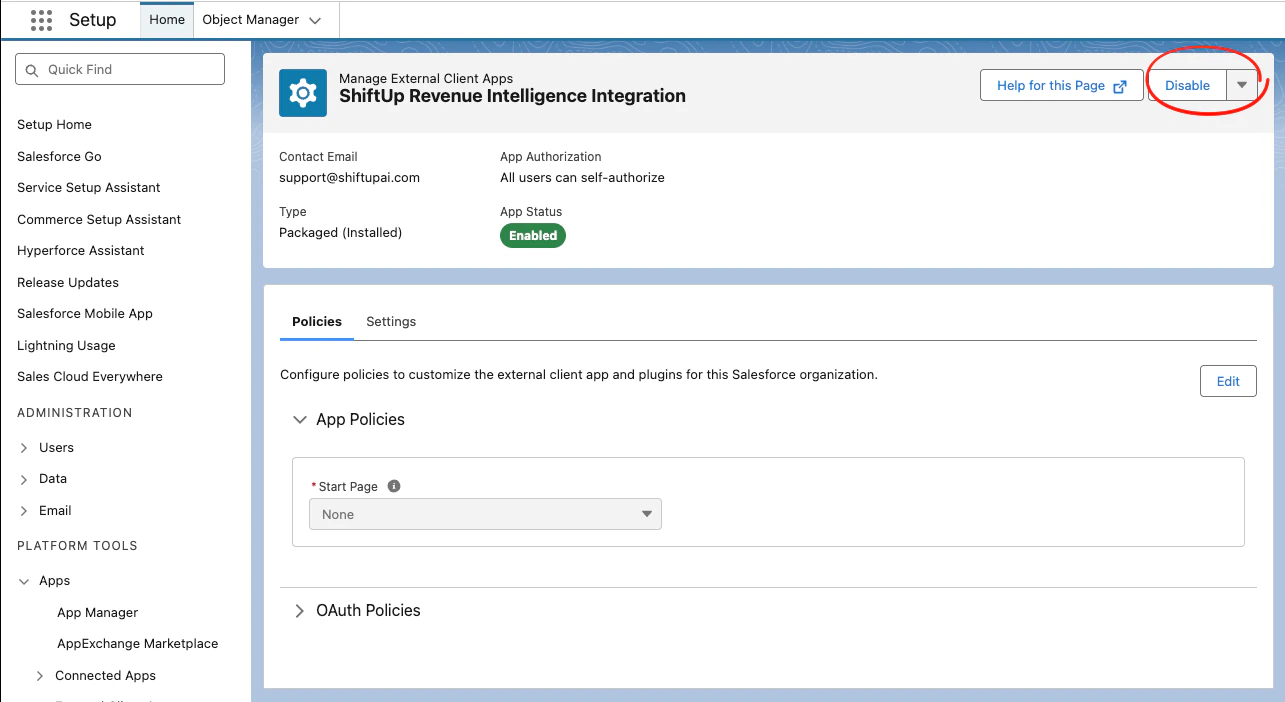
ShiftUp Revenue Intelligence Integration external client app and clicking the Disable button.
ShiftUp Admin > Advanced > Enable/Disable ShiftUp and disable the Enable ShiftUp toggle.
ShiftUp Revenue Intelligence Integration external client app and clicking the Disable button.