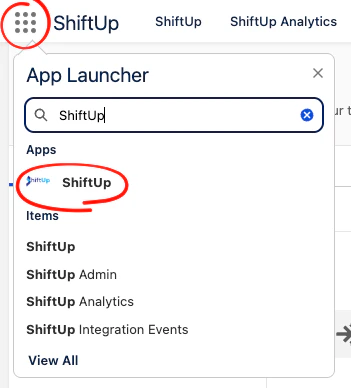
> ## Documentation Index
> Fetch the complete documentation index at: https://docs.shiftupai.com/llms.txt
> Use this file to discover all available pages before exploring further.
# ShiftUp User Setup
Expand access to the ShiftUp app in your organization by assigning users one of the ShiftUp permission sets.
## ShiftUp Personas
The following personas are supported in the ShiftUp application:
* **Admin**: full management access to ShiftUp data
* **Manager**: seller capabilities plus seller profile management and strategy assignments.
* **Seller**: works account plans and opportunity strategies, can also add accounts to seller profiles.
* **Restricted Seller**: works account plans and opportunity strategies.
## Assigning ShiftUp Permission Sets
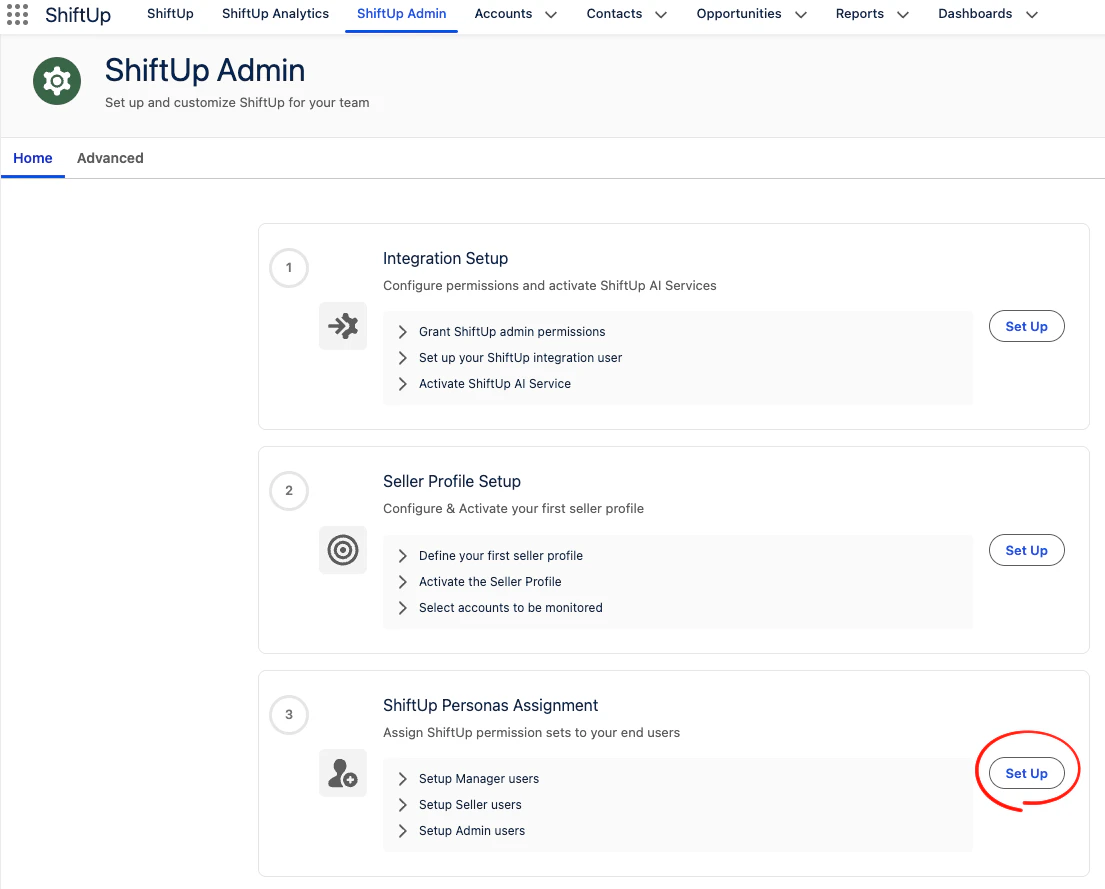
To assign a ShiftUp permission set, go to the `ShiftUp Admin` tab, then click the `Set Up` button in the `ShiftUp Personas Assignment` section.
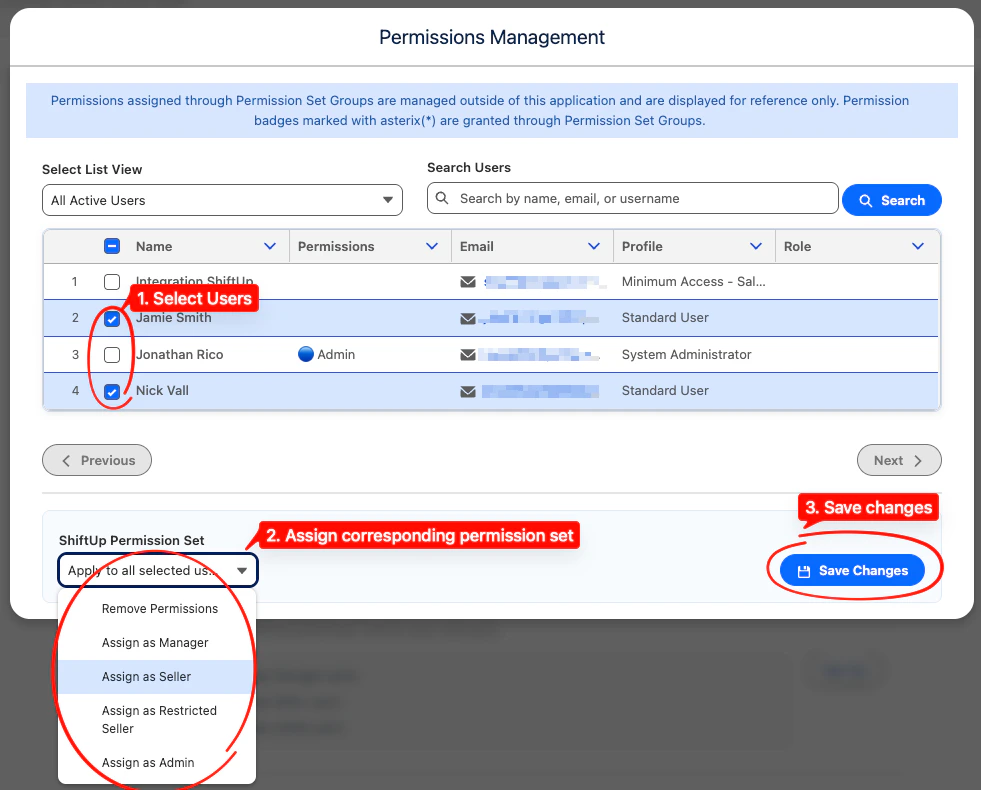
 Select the users you want to enable in ShiftUp, assign the corresponding permission set and save changes.
 The specified users will have the assigned level of access after changes have been saved and they should now be able to see the `ShiftUp` application in their App Launcher.